A LITTLE CLARITY. EVERY DAY.

Your money.
Your home.
All together.

From the morning coffee to the monthly bills. Track your money, see where it goes, and bring your household along.

  • Free to start
  • No ads
  • Android

Personal tracking stays free. Google sign-in required.

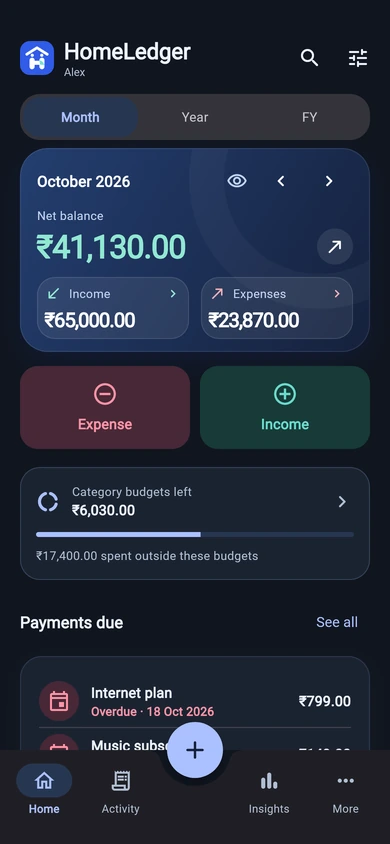
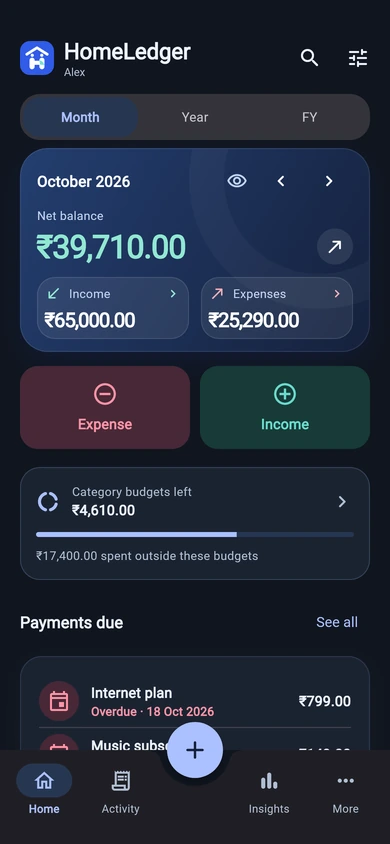
HomeLedger home with income, expenses and net balance

Real app screens · sample data · v1.14.0

Less keeping up.
More feeling in control.

Cash, banks & cards

Bills & budgets

Insights that make sense

SMALL HABITS. A CLEARER PICTURE.

Made for the way
life actually happens.

Useful tools when you need them. A simple place to start.

01 / THE EVERYDAY

Add it.
Get on with your day.

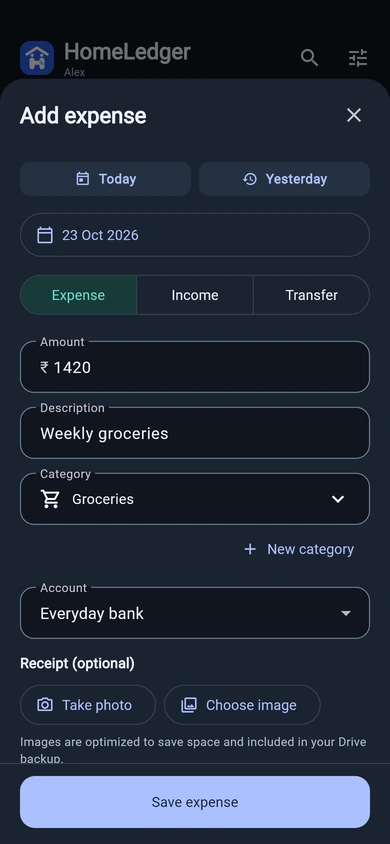
Pick Today or Yesterday, enter an amount, and you’re nearly there. Familiar descriptions remember your last category and account, too.

  • Create a category right as you add an entry
  • Take a receipt photo or choose an image
  • Find any entry with a quick search

See the story
behind the spending.

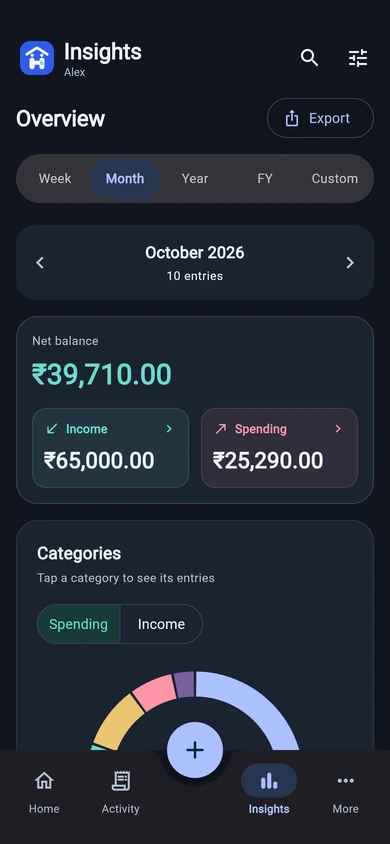
Explore interactive charts and tap a category to see its entries. Week, month and year views are free; Pro adds financial year and custom date filters.

Explore the screens

Ahead of the bills.
Closer to your goals.

With Pro, set category budgets, schedule recurring transactions and choose reminders that fit your day.

Your data travels with you. Create PDF or Excel reports with Pro. Data export and import remain available to everyone, with a spreadsheet example to get started.

Make it feel like yours. Choose from 26 languages, including Hinglish, your currency, and light or dark mode.

AM+Our home. Our everyday.
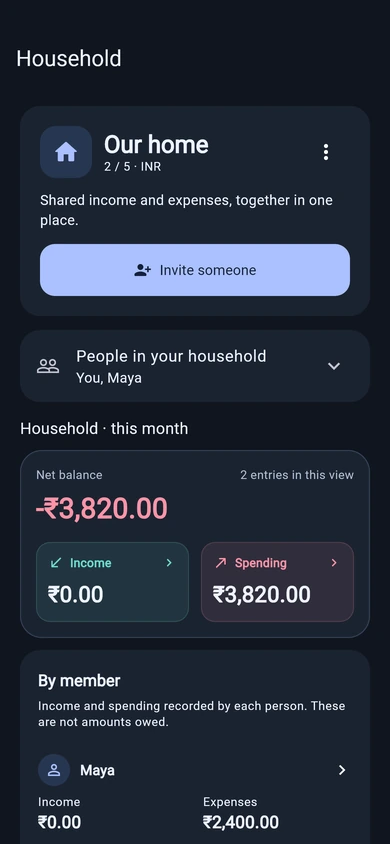
HomeLedger household dashboard with two members and a shared spending summary
Shared with your household

HOMELEDGER PRO

One home.
On the same page.

Groceries, rent, the little things. Bring your household’s income and expenses into one shared view.

  1. 1

    Invite your people.

    Share a QR code or invitation. Bring up to five people together, including you.

  2. 2

    Add an entry. Everyone sees it.

    Choose what to share. Each entry shows who added it, with live updates and optional notifications.

  3. 3

    Understand your home’s money.

    See household spending, income and entries by person. Keep personal entries separate.

The owner’s Pro plan covers household sharing for all five members.

TAKE A LOOK AROUND

The real app.
Ready for real life.

Fresh captures from HomeLedger v1.14.0, using sample data.
Updates become available after Google Play approval.

A LITTLE MORE PEACE OF MIND

Your money is personal.
Let’s keep it that way.

Your personal ledger lives on your phone. You choose what to share with your household and when to back up.

Read our privacy policy

Track without ads.

No ads getting between you and your money. Personal entries work offline after sign-in.

A backup that belongs to you.

With Pro, save entries and receipt photos to your private Google Drive app folder. Choose a daily or weekly backup time and restore your latest backup.

SIMPLE PLANS. NO CLUTTER.

Start free.
Grow together.

Everyday money tools for everyone. A little extra for your home.

FOR YOUR EVERYDAY

HomeLedger Free

₹0forever

Build a clearer picture of your money.

Start with Free
  • Income, expenses and account transfers
  • Cash, bank and card accounts
  • Categories and quick description suggestions
  • Insights and category breakdowns
  • Receipt photos and data export/import
  • 26 languages, currencies, light & dark mode
FOR YOUR HOME, TOGETHERPRO

HomeLedger Pro

₹49/ month

Billed monthly. Cancel in Google Play.

Explore Pro in the app

Eligible new subscribers get 1 month free.

  • Everything in Free, plus:
  • One shared household, up to 5 people
  • Live entries, shared receipts & member insights
  • Optional household activity notifications
  • Private Google Drive backup and restore
  • Automatic backups at your chosen time
  • Financial year and custom date filters
  • PDF and Excel reports
  • Budgets, scheduled payments and reminders

Prices shown for India. Google Play displays your local price and trial eligibility before you subscribe. The free month starts only after confirming an eligible monthly or yearly subscription; signing in alone does not start it. After the trial, ₹49/month or ₹499/year renews automatically unless cancelled in Google Play before renewal. Yearly savings compare ₹499 with 12 monthly payments of ₹49. Each member needs their own Pro plan for their personal Drive backup. Terms apply.

GOOD TO KNOW

A few things
you might wonder.

Need a hand? We’re an email away.

Talk to Codegully
Can I use HomeLedger for free?

Yes. Sign in with Google and use the personal ledger, accounts, categories, week/month/year insights, receipt attachments and data export/import for free. Pro adds household sharing, Drive backup, financial year/custom date filters, PDF/Excel reports, budgets, scheduled payments and reminders. There are no ads.

Does everyone in my household need Pro?

The household owner needs Pro. Their plan covers sharing with up to five people in total, including the owner. Invited members can see shared entries without buying their own plan. Each person needs their own Pro subscription if they also want a private Google Drive backup.

Does it connect to my bank or read my SMS?

No. You add entries yourself or import them from a spreadsheet. Cash, bank and card accounts help you organise your ledger; HomeLedger does not move money or connect to your bank.

What happens when I change my phone?

With Pro, connect the same Google account and Drive to restore your latest backup, including receipt photos. An empty ledger can restore automatically after linking Drive. If entries already exist, the app asks before replacing them. Free users can move entries using the data export and import options.

When do automatic backups run?

Choose a daily or weekly schedule and a preferred time in the app. The default daily time is 5 AM. Android battery, network and background restrictions can delay a backup, so the scheduled time is a preference rather than an exact guarantee. You can also back up manually.

Can I choose my language and currency?

Yes. Choose from 26 languages, including English, Hindi and Hinglish, and pick a currency. Changing currency keeps the same numbers and changes their currency label and symbol; it does not convert exchange rates.

How does the free month work?

Google Play offers one free month to eligible first-time subscribers on monthly and yearly plans. Confirm the offer in Google’s checkout before subscribing. Trial eligibility follows your Google Play purchase history, not just your HomeLedger email. The plan renews at the price shown unless you cancel before renewal.

A FRESH START, ONE ENTRY AT A TIME.

Make room for
a little more clarity.

Get HomeLedger on Google Play

Free personal tracking. Optional Pro. Always your choice.

App preview